
Whether your business had little or a lot of activities during the year, filing taxes is an important responsibility. Under the Nigeria tax administration Act 2025, zero income does not mean zero filing. If you do not file, you are still technically in default, which can lead to penalties. Fortunately, business owners can now file business taxes online using tax software, government portals, or professional tax-preparation services. Online filing can make the process faster, reduce paperwork, and provide helpful prompts that can prevent common errors.
But what happens if your business earned nothing? Depending on your business structure, location, and tax obligations, you may still need to submit a return, information statement, or annual filing.

This article explains how to prepare for online business tax filing, what documents to gather, and how to file zero income tax return online when your business had no taxable income. Because tax rules differ by country, state, business structure, and tax year, always verify the requirements that apply to your specific business.
Electronic filing can provide confirmation that your return was successfully submitted. You should carry out the following steps before you begin filing.
1: Identify Your Business Structure
Before you begin, determine how your business is classified for tax purposes.
A sole proprietorship, partnership, corporation, and limited liability company may have different filing requirements. An LLC, for example, can potentially be treated differently for federal tax purposes depending on its ownership and elections.
Your business structure affects which tax forms you need, whether income is reported on an individual return or separate business return, and whether additional information returns are required.
Do not select a tax form simply because another business owner uses it. Start with your legal and tax classification.
Action point: Confirm your business structure and tax classification before opening your online filing software.
2: Gather Your Business Records
Good records make online filing considerably easier. Before entering anything into a tax platform, collect the financial information associated with your business.
Depending on your circumstances, you may need:
- Sales and revenue records
- Business bank statements
- Expense receipts
- Payroll records
- Contractor payment information
- Asset and equipment records
- Loan statements
- Previous tax returns
- Tax identification information
- Accounting records
- Records of estimated tax payments
If you use bookkeeping software, review your income statement and balance sheet before starting your return. Look for unusual transactions, duplicate expenses, or missing income.
The goal is to make sure the figures entered into your tax return agree with your underlying records.
3: Separate Business and Personal Transactions
One common problem for small businesses is mixing personal and business finances.
If you use the same bank account or credit card for both, organizing your records can take much longer. It may also make it difficult to determine which expenses are legitimately associated with the business.
Ideally, maintain separate business accounts and use them consistently. If personal and business transactions have already been mixed, categorize the transactions carefully before filing.
Action point: Reconcile your business bank account and credit-card activity before beginning your online tax return.
4: Choose a Reliable Online Filing Method
Once your records are ready, select an appropriate online filing method.
Some businesses use commercial tax software. Others work with an accountant or tax professional who prepares and electronically submits the return. Certain tax authorities also provide online filing systems for particular returns.
When evaluating an online service, check whether it supports your business structure and the forms you need. A low-cost product may not be suitable if your return involves payroll, multiple owners, inventory, depreciation, international activity, or other complicated issues.
Also review the total cost before submitting. Some services advertise a basic price but charge additional fees for business forms or professional assistance.
5: Enter Your Income Carefully
Revenue is one of the most important parts of a business tax return.
Review your accounting records and compare reported sales with bank deposits, invoices, payment-processor statements, and other relevant records. Do not assume that the amount deposited into your bank account is automatically the same as taxable business income.
Payment-processing fees, refunds, returns, and other adjustments may affect how transactions should be recorded.
If your business received income through multiple channels, make sure you account for each one. For example, online sales, direct payments, platform payments, and other revenue streams should not be overlooked.
6: Review Deductible Business Expenses
After recording income, review your eligible business expenses.
Depending on the applicable tax rules, common business expenses can include advertising, professional services, office costs, business insurance, software, certain travel expenses, and other ordinary business costs.
However, not every expense is automatically deductible. Personal spending should not be disguised as a business expense simply to reduce taxable income.
Keep supporting documentation for your claims. A bank statement showing a payment may not provide enough detail to establish the business purpose of an expense.
Action point: Match significant expenses with receipts, invoices, contracts, or other supporting records before submitting your return.
How to File Zero Income Tax Return Online
If your business had no income during the tax year, the process can be different from simply entering “$0” everywhere. You must file a “Nil return”. This is a formal declaration to the tax authority that your business activity for that period resulted in no tax liability. Section 34(2) explicitly recognizes that a self-assessment return can include a nil amount.
First, determine whether your business is actually required to file a return despite having zero income. Filing requirements can depend on the business structure, registration status, location, payroll activity, tax elections, and other factors.
If a return is required, gather your records even if revenue was zero. You may still have expenses, bank fees, startup costs, assets, payroll obligations, or other transactions that need to be reported.
When learning how to file zero income tax return online, start by selecting the correct return for your business type. Enter zero income only where the applicable form calls for zero income. Do not create artificial income or expenses merely to complete a field.
Some businesses may have expenses despite generating no revenue. Whether those expenses can be deducted, carried forward, capitalized, or otherwise treated depends on the applicable tax rules.
The same principle applies to inactive businesses. A business that did not operate at all may have different filing obligations from a business that operated but happened to generate no revenue.
Action point: Before filing a zero-income return, verify whether your business must file and whether any state, local, payroll, or information returns are also required.
What If Your Business Had No Activity?
There is an important difference between “zero income” and “no business activity.”
Zero income means the business did not generate taxable revenue, but it may still have had transactions. For example, you might have paid for a website, purchased software, maintained a business bank account, or paid professional fees.
No activity may mean that the business had no meaningful transactions during the period. These situations should not automatically be treated the same way. Your tax authority may have specific rules for inactive entities.
If your business was legally registered but temporarily inactive, check whether an annual report, franchise filing, information return, or other document is still required.
To file nil amount:
Step 7: Check for State and Local Requirements
Federal tax filing is not necessarily the end of your obligations.
Depending on where your business operates, you may have state or local requirements involving income taxes, sales taxes, payroll taxes, franchise taxes, annual reports, or business registrations.
A business can have no federal taxable income and still have another filing obligation.
This is particularly important for businesses operating in more than one state or location.
Action point: Make a separate checklist of federal, state, and local filings so that completing one online return does not cause you to overlook another deadline.
8: Review Before You Submit
Never rush through the final submission screen.
Review your:
- Business name
- Tax identification number
- Business address
- Filing period
- Income figures
- Expense totals
- Bank information, where applicable
- Owner or partner information
- Tax payments
- Required schedules
- Supporting information
Compare the final figures with your accounting records.
To File a Nil Amount:
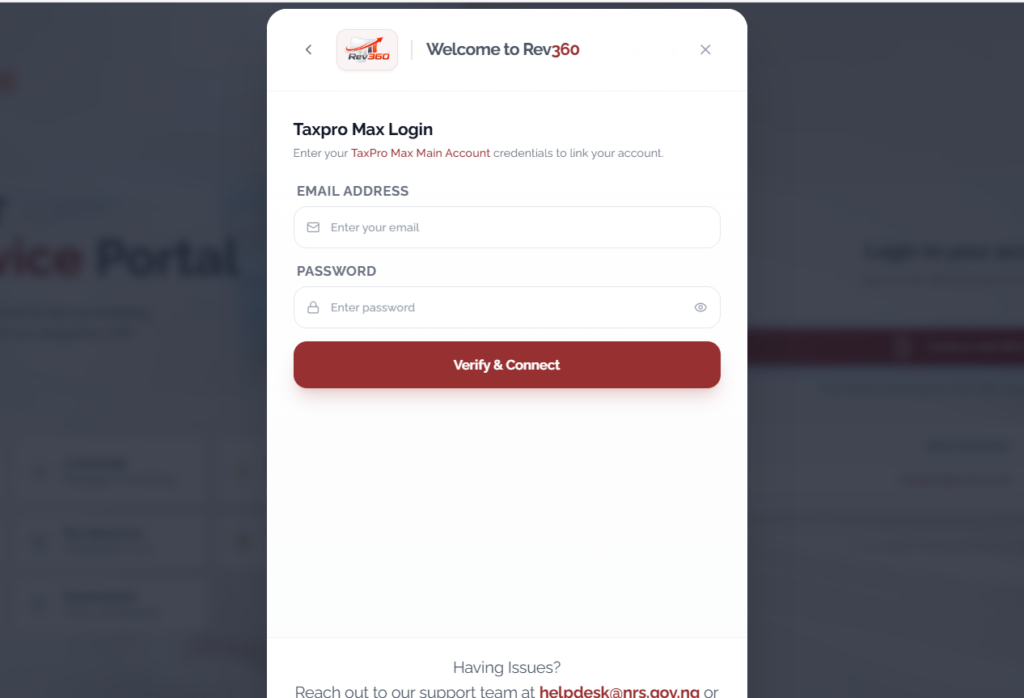
- Log in to the FIRS TaxPro Max portal as usual
- Select the tax type (VAT or CIT) for the relevant period
- When prompted to enter your revenue or sales figures, enter 0 zero
- Submit the return
- The system will record this as a nil return. You will not be required to generate a payment reference number because there is no tax to pay.
To file with Income
- Log in: Access your account on the FIRS TaxPro Max portal
- Declare Revenue: input your actual sales, expenses, and profit figures for the period
- compute tax: the system will automatically calculate the tax liabilty based on the figures you entered
- Generate PRN (Payment reference number) and complete payment.
If the software generates a summary, download or save it before submitting. After electronic submission, keep the confirmation showing that the return was transmitted and accepted.
Common Online Tax Filing Mistakes to Avoid
One mistake is choosing the wrong business return. Your legal structure and tax classification should guide the form selection.
Another is reporting incomplete income. Review all revenue sources rather than relying on memory.
A third mistake is claiming personal expenses as business deductions. This can create problems if the return is reviewed.
Business owners also sometimes confuse an inactive business with a business that does not need to file. Filing requirements can continue even when the business has stopped trading.
Finally, avoid entering random figures simply because the software requires an answer. If you are unsure what belongs in a field, consult the form instructions or a qualified tax professional.
Make Next Year’s Filing Easier
The best time to improve your tax process is before the next tax season.
Keep business and personal finances separate. Reconcile accounts regularly rather than waiting until filing season. Digitize receipts and organize them by category. Maintain copies of filed returns and confirmation notices.

You can also create a monthly bookkeeping routine. At the end of each month, review revenue, expenses, outstanding invoices, bank transactions, and tax-related records.
This turns tax preparation from a once-a-year scramble into a routine administrative task.
Conclusion
Being able to file business taxes online gives business owners a convenient way to manage their tax responsibilities, but convenience does not replace accuracy. The correct filing process depends on your business structure, tax jurisdiction, financial activity, and applicable filing requirements.
If your business earned no income, understanding how to file zero income tax return online is especially important. Do not assume that zero revenue means you can ignore tax filings. Filing a nil return is a way of telling the tax authority “Is a way of telling the tax authority, I am still here, but I had no taxable activity this period This keeps your business in good standing and avoids unnecessary penalties at bay.
Confirm whether a return is required, report the business’s actual activity accurately, and check for additional state, local, payroll, or information filings. With organized records, the correct forms, and a careful review process, online tax filing can become a much more manageable part of running a business.
Leave a Reply